Showing posts with label Passwords. Show all posts

Wednesday, 9 April 2014

Change All Your Passwords: "Heartbleed" Bug Threatens Your Internet Safety

TechCrunch and other sources are confirming the severity of the OpenSSL bug known as "Heartbleed" that threatens to compromise internet users' safety.  All internet users are encouraged to change all of their existing passwords to protect their most sensitive information.

Codenomicon, a security company out of Finland, tested this potential vulnerability and advised that internet users take immediate action.  According to their analysis, up to 66% of the market share could be affected with open source web servers like Apache and nginx particularly vulnerable to the Heartbleed bug.

What should you do immediately?

Changing your passwords is inconvenient but easy; encourage those in your life who might not understand this threat as well to follow suit.  We would encourage our readers to share this and other stories about Heartbleed to help get the word out as soon as possible through social media and personal contact.  Like all issues related to internet privacy, the goal here is to protect as many people as possible, even if others don't fully understand what all is at stake.  If you are not going to change all of your passwords, consider changing at least your main/most sensitive online accounts (e.g. bank accounts, e-mail accounts, etc.).

Wait, what exactly is Heartbleed?

For the more tech-savvy:
Codenomicon provides a detailed (and more technical) explanation of Heartbleed's origin and potential threat at heartbleed.com:

The Heartbleed Bug is a serious vulnerability in the popular OpenSSL cryptographic software library. This weakness allows stealing the information protected, under normal conditions, by the SSL/TLS encryption used to secure the Internet. SSL/TLS provides communication security and privacy over the Internet for applications such as web, email, instant messaging (IM) and some virtual private networks (VPNs).
The Heartbleed bug allows anyone on the Internet to read the memory of the systems protected by the vulnerable versions of the OpenSSL software. This compromises the secret keys used to identify the service providers and to encrypt the traffic, the names and passwords of the users and the actual content. This allows attackers to eavesdrop on communications, steal data directly from the services and users and to impersonate services and users.
For the less tech-savvy:
For users looking for a less technical summary of this bug, Tumblr issued a statement to their users (who might be exposed), which provided a concise breakdown of the threat and actions to take.

A major vulnerability, known as “Heartbleed,” has been disclosed for the technology that powers encryption across the majority of the internet. That includes Tumblr.
We have no evidence of any breach and, like most networks, our team took immediate action to fix the issue.
But this still means that the little lock icon (HTTPS) we all trusted to keep our passwords, personal emails, and credit cards safe, was actually making all that private information accessible to anyone who knew about the exploit.
This might be a good day to call in sick and take some time to change your passwords everywhere—especially your high-security services like email, file storage, and banking, which may have been compromised by this bug.
Users who are less tech-savvy might also find the BBC's coverage of the bug helpful.

What can you do to help others?

We also encourage our readers to comment on this blog post, tweet at our Twitter handle (@SumRando), or comment on our Facebook posts if they have additional information to share.  We thank all of you in advance for your intel on this critical matter.

Thursday, 17 October 2013

iPhone's Fingerprint Scanner is Already Hacked

For some time now, security experts have been hailing the “death of the password” and advocating for alternative security systems – especially biometric systems like fingerprint scanners. And when Apple unveiled that the new iPhone 5s included a fingerprint scanner, it seemed it might be the beginning of the end for the traditional password. Unfortunately, as German hacker Starbug was quick to demonstrate, Apple’s new fingerprint scanner is hardly fool-proof.
With relatively basic equipment, Starbug was able to beat Apple’s fingerprint scanner only 48 hours after the new iPhone’s debut.
“It's very easy. You basically can do it at home with inexpensive office equipment like an image scanner, a laser printer, and a kit for etching PCBs. And it will only take you a couple of hours. The techniques are actually several years old and are readily available on the Internet,” Starbug said in an interview with Ars Technica.


Starbug went on to explain the issues associated with mobile security.
Passwords are no problem at all as long as they are long enough and someone had a look into the algorithms [used to store them] and their implementation. In fact, long, complex passwords, which can also be configured on iOS devices, offer a sufficient level of security. The problem is finding the right balance between convenience for the user and security. No normal person wants to be confronted with a 20-character password every single time they want to do something on their phone. On the other hand, today's smartphones contain a great amount of personal data where many would say that even a four-digit [PIN] is also insufficient.
Of course, there are other biometric options like iris scanners and voice recognition systems in development that don’t depend on fingerprints and many experts believe these might offer a substantial boost in security.

However, biometric security also poses problems outside of reliability. When your password is cracked, users only need to create a new one to regain security. Biometrics, on the other hand, are effectively impossible to alter, so if someone finds a way to crack your security, creating a new scheme could be potentially complicated.


You can try SumRando for free here.

Wednesday, 5 June 2013

Nice Tat, Mate. Is That for Gmail or Vodafone?

In the race to replace the soon-to-be-obsolete password, Motorola has some innovative ideas — among them, tattoos.
 
Photo Credit: Lorena Cupcake
That’s right kids, soon you’ll be securing your online credentials and ticking off your parents at the same time. If that’s not a win-win, I don’t know what is.

According to Motorola senior vice president of advanced technology and products Regina Dugan who spoke at the AllThingsD conference, one of the devices the company is developing is a temporary tattoo that would be worn on the skin and would allow the wearer to authenticate their credentials on any device they use. The tattoo would last for only a few days.

“It may be true that 10-20 year-olds don't want to wear a watch on their wrist, but you can be sure they'll be more interested in wearing an electronic tattoo, if only to piss off their parents,” Dugan said.

Motorola also revealed a pill authentication device at the conference. Intended to be taken daily, the pill’s electronic components would react with chemicals in the user’s digestive tract and subsequently broadcast the appropriate signals for authentication that could be read by anything from mobiles to cars.


The pill has already been cleared by US Food and Drug Administration, though no timetable was given for its release.


You can try SumRando for free here.

Thursday, 9 May 2013

Syrian Electronic Army Hacks The Onion. Here's How They Did It


On Monday, members of the Syrian Electronic Army hacktivist group took command of The Onion’s Twitter account. Posing as legitimate writers, the SEA posted several jokes related to Israel and the civil war in Syria.

(For clarification, SEA is a pro-Assad organization.)
According to sources at The Onion the SEA used a phishing email attack on Onion staff members. The email included a link that appeared to link to the Washington Post, but in fact directed to a hacked website that displayed a fake Google Apps login page. Evidently, one or two employees fell for the ruse and the SEA gained access to their email accounts. From those email addresses, the SEA launched yet another phishing attack and ultimately gained access to Twitter.
According to The Onion:
Coming from a trusted address, many staff members clicked the link, but most refrained from entering their login credentials. Two staff members did enter their credentials, one of whom had access to all our social media accounts.
Immediately after discovering the breach, The Onion’s tech team sent an email to staff directing them to change their passwords. Unfortunately, this advice spurred a third phishing attack from a compromised internal email address that linked to a fake password-reset page. The SEA gained two more sets of credentials from this last attack, allowing them to maintain control on Twitter for an extended period of time.
It seems there couldn’t be a better time for Twitter to move to two-factor authentication — something the company is already working towards.

Try SumRando for free here.

Thursday, 2 May 2013

Forgot your Facebook password? Ask your neighbor!


Have you ever given your friend or neighbor an extra key to your house as an emergency backup? Facebook is implementing a similar strategy for lost passwords and I must admit, it’s pretty smart.

The new program is called “Trusted Friends” and it’s pretty simple. You pick three to five Facebook friends you trust. If you forget your password, you can use them to help you back into your account.
Once you've set up your trusted contacts, if you ever have trouble logging in, you'll have your trusted contacts as an option to help. You just need to call your trusted contacts and let them know you need their help to regain access to your account. Each of them can get a security code for you with instructions on how to help you. Once you get three security codes from your trusted contacts, you can enter them into Facebook to recover your account. [Facebook]
Of course, this new system will require a little bit of preliminary caution on your part. First, you need to make sure the friends you select are friends you actually trust. I wouldn’t recommend choosing anyone you wouldn’t be comfortable giving the key to your front door. Secondly, you need to make sure these friends know to only give up the security code if you actually call them. I think it's safe to say this system is likely to produce a lot of sketchy activity in the form of fraudulent asks.
While this is a great system, it’s certainly better to not forget your password in the first place. If you don’t think you can remember it (and that should be tough if it’s a good password), download a password manager like 1Password or LastPass.

Try SumRando for free here.

Thursday, 25 April 2013

Is Google going to make passwords obsolete?


Ok, this might be an over-dramatization. However, as we all know, the trusty password isn’t what it used to be. It seems like I’m reading about hashed password dumps and Twitter hacks every week now. I think it’s time for something better, and so does Google.
On Tuesday, the Fast IDentity Online Alliance (FIDO) announced that Google has joined their ranks. FIDO is a consortium of companies working to develop new authentication security technology that will ultimately replace the humble password. FIDO already includes heavy-hitters like PayPal, Lenovo, Nok Nok Labs and Validity, but it’s safe to say that Google’s research and financial brawn will bring a substantial lift to efforts.


But what will they come up with? There are certainly ideas out there, but replacing the password isn’t an easy task. Any replacement will need to be just as versatile, but more secure.
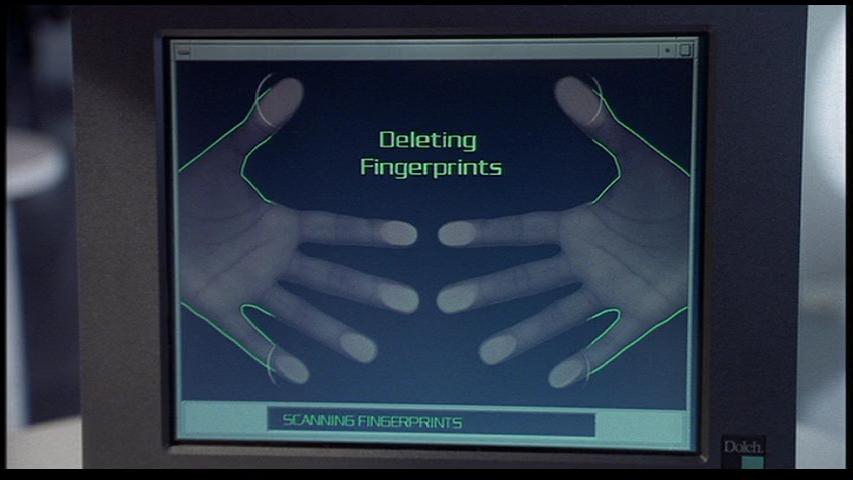
The most cliché replacement suggestion, of course, is a biometric scanner that reads fingerprints or other unique physical characteristics. The big benefit here, obviously, is that it’s very difficult to crack. If you think cracking a password takes time, imagine how long it would take to gather all the data contained in a fingerprint! The downside, of course, is that should your biometric data get hacked, there’s no good way to change it short of going Men in Black on your fingertips.
Other ideas include voice recognition, security tokens, and near-field communication. All have strong security benefits, but also present problems. I guess we’ll just have to see what FIDO comes up with.

Try SumRando for free here.